
Are Online Video Converters Safe? What to Check
By Mark Fulton · 2026-09-04 · 12 min read
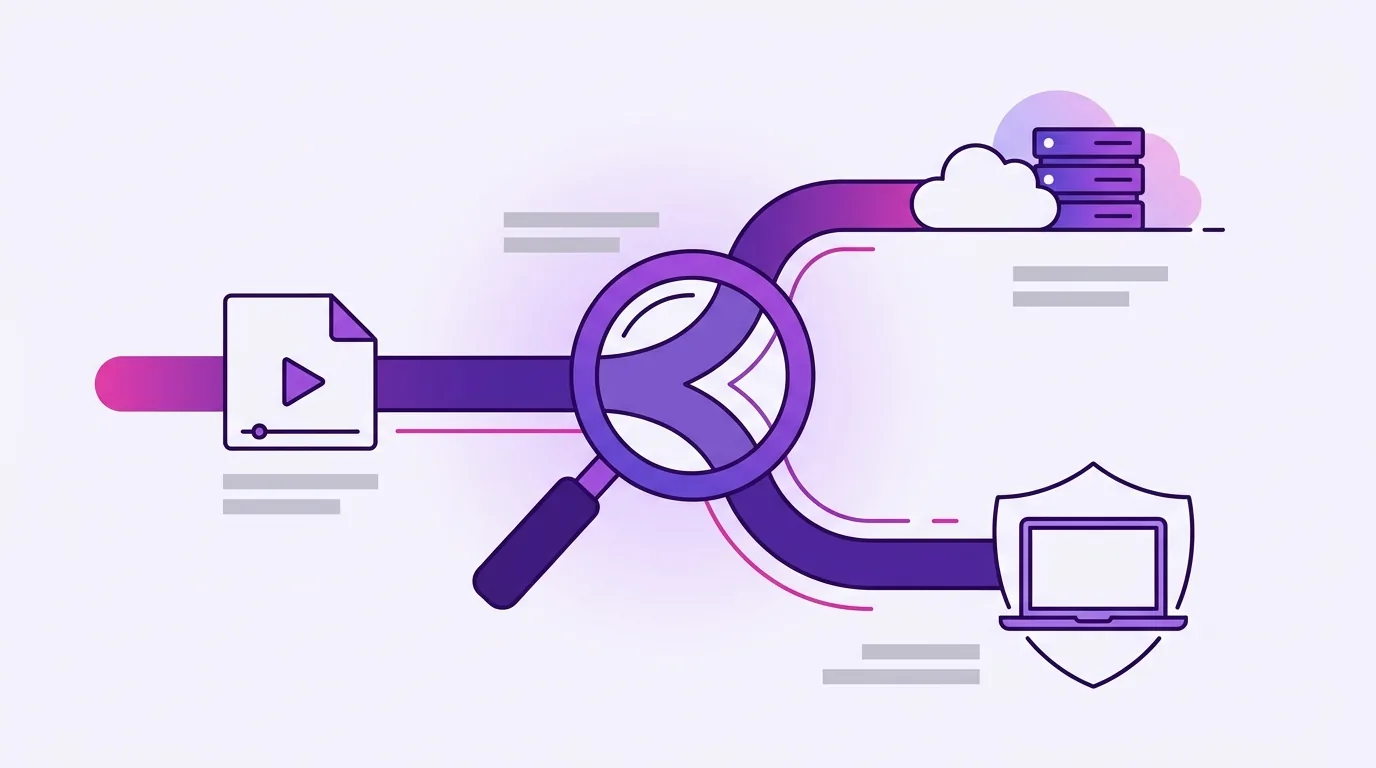
Some are, some are not, and the honest answer depends on which of two completely different risks you are worried about. The first is a converter site that hands you back something you then run on your own machine: a downloader, a browser extension, a file that is not the file you asked for. That one can genuinely infect you, and the FBI has a field notice about exactly this pattern. The second is a perfectly legitimate service that takes a copy of your video onto a server it owns in order to convert it. Nothing there is malicious, but your footage now exists somewhere you do not control, for a retention window you have to take on trust. Those two risks need different checks. A big, well-known conversion service is usually fine on the first and unavoidably real on the second. A site you found in an ad, with a green download button that is not the same shape as the file you uploaded, is a problem on both. Below is a checklist you can apply to any converter, including this one, and a plain statement of where a server-side tool is exactly the right choice.
We build browser-based video tools, which means we have an obvious commercial interest in you being nervous about uploads. So this page tries to be scrupulous about it: what each risk actually is, what the common reassurances do and do not cover, and how to verify a claim yourself instead of believing a marketing line, ours included.
What are the two different risks here?
Almost every piece of advice on this topic blurs them together, which is why the advice ends up as "just do not use online converters" and most people ignore it.
Risk one is executable. You visit a site that offers to convert a file. What comes back is not a converted video. It is an installer, a browser extension, a script, or a real media file bundled with something else, and the harm happens on your machine when you open it. The FBI's Denver field office has published a public notice on exactly this pattern, and the point it makes is the one worth carrying: a converter can perform the job it advertises and still hand back a file that carries something else. The scam takes three shapes, and only one of them involves your upload at all: a tool you download, an extension you install, and a converted file carrying code. MIT's humanities IT group reached the same conclusion in blunter terms, telling staff and students not to use online file conversion websites at all.
Notice what that risk is not. It is not about the upload. It is about the download. A site that never touched your file could still hand you a poisoned one.
Risk two is custodial. A reputable service takes your video, stores it on disk long enough to run a conversion, produces an output, keeps both for a while, and deletes them on a schedule. No one is trying to hurt you. But between the moment your file leaves your machine and the moment it is genuinely gone, it exists on infrastructure you have no visibility into, subject to that company's staffing, its subprocessors, its backups, its jurisdiction, and its future. If the video is a product demo under embargo, a client's raw footage, a medical recording, or anything with a face in it that did not consent to being copied to a third party, that window matters even when everyone involved is acting in good faith.
Confusing these two produces bad decisions in both directions. People avoid a large, audited service that is fine, and then paste a work file into an unbranded site because it looked simple.
What does "files deleted after an hour" actually promise?
Less than it sounds like, and this is where most converter marketing does its work. A retention promise is a policy commitment, not a technical property. It is a statement about what a company intends to do, enforceable only by its own diligence and, if you are a business customer with a contract, by that contract.
The same goes for most of the other reassurances you will see on a converter's landing page. Each one is true as far as it goes. None of them means what a hurried reader assumes.
| The claim | What it actually guarantees | What it does not guarantee |
|---|---|---|
| "Secure HTTPS connection" | Nobody between you and the server can read the file in transit, and you are talking to the domain shown in the address bar | Anything at all about what the server does with your file after it arrives. HTTPS protects the journey, not the destination |
| "Files deleted after 1 hour" | A stated policy, usually applied to the primary copy | That backups, logs, caches, CDN copies or a subprocessor's storage are on the same clock, or that anyone external has verified the deletion |
| "No signup, no account" | No email address is tied to your conversion, and no password of yours is at risk | That you are not tracked. An IP address, a device fingerprint, ad network scripts and analytics all work perfectly well without an account |
| "The padlock icon means the site is trustworthy" | The certificate is valid for that hostname | That the operator is honest. Certificates are free and automated, and scam sites have them too |
| "Free, no watermark, unlimited" | The output you get is unbranded and unrestricted | That the service is free to run. Something is paying for the CPU, and if it is not you, ask what is |
| "Processed in your browser" | Potentially everything, if it is true | Anything, if you have not checked. The phrase is used by genuinely local tools and by upload-first tools alike, because both run their interface in a browser |
That last row is the one worth acting on, because unlike the others it is directly verifiable in about thirty seconds.
How do you tell whether a tool uploads your file?
You do not have to trust anyone's copy. The browser will tell you.
Watch the network panel. Open your browser's developer tools before you pick a file, switch to the network tab, then run the conversion. Every request the page makes is listed there with its size. A tool that uploads shows a request carrying roughly the size of your video. A tool that processes locally shows the page, its scripts, and nothing that big afterwards. The Chrome DevTools network reference covers how to read the panel if you have not used it before, and Firefox and Safari have the same feature under different names.
Pull the plug. This is the definitive test and it needs no technical knowledge at all. Load the tool, wait for it to finish loading, then turn off your Wi-Fi. Now pick your file and run the job. If it completes and downloads a result, nothing left your machine, because nothing could have. If it stalls or errors, it was uploading.
Look at the progress indicator. An upload phase tracks your connection speed and behaves differently on a fast and a slow network. Local processing tracks your CPU and behaves the same either way.
Check the size cap. A limit in the multiple gigabytes is a server tell, because browsers cannot address that much memory for a single job. A cap in the hundreds of megabytes usually means the work is happening in a tab.
Read what the file picker can and cannot do. A web page does not get to browse your disk. Per MDN, web applications can access files only when the user makes them available, through a file input or a drag and drop. That is the whole surface. It means the question is never "can this page take my files" but only "does this page send the one file I handed it".
Every tool in our catalogue is built to pass those tests, with one exception stated plainly in the next paragraph, and the privacy page says the same thing in fewer words.
Our exception, stated up front: transcription uploads. It is the one tool on this site where something leaves your machine. The browser extracts the audio locally and downsamples it to mono 16 kHz first, so what gets sent is speech only, no video, and a small fraction of the original file's size. It is not stored or logged on our side and is discarded once the transcript comes back. The reason is unglamorous: a usable speech model runs to hundreds of megabytes, which is not a download you can put in front of someone who just wants a transcript. If you would rather nothing at all left your machine, video to MP3 gives you the audio file locally and you can take it wherever you like.
We should also be straight about the rest of our terms, since a page telling you to verify claims should not hide its own. The free tier caps input at 200 MB and puts a small mark in the corner of video exports. Pro removes both, and adds compression to an exact target size, instant lossless trim and mute, contact sheets, and a settings advisor. Several other browser-based tools add no mark at all on their free tier, and if a clean unbranded export is the only thing you need, that is a fair reason to use one of them.
When is a server-side converter perfectly fine?
Often. Treating every upload as a hazard is its own kind of bad advice, and there are jobs where a server is simply the better tool.
When the file is not sensitive. A clip you are about to publish on a public channel has no confidentiality left to protect. Converting it on someone else's machine costs you nothing.
When the file is too big for a browser. Multi-gigabyte camera originals and long-form interviews exceed what a tab can hold. A server has as much memory as it was paid for. This is the honest limit of the local approach, and it is structural rather than something a vendor can choose to lift.
When you do not want to babysit a long render. Local work needs the tab open and the machine awake. A queue you can walk away from is a real feature.
When the operator is accountable to you. A named company with a data processing agreement, a published subprocessor list, a security page, and a support address you can escalate to is a very different proposition from an anonymous site. If your employer already has a vendor relationship with a conversion service, use it. The contract is doing work that no amount of personal caution can replace.
When the job needs a large model. Speech recognition, background removal and object tracking mostly still need server hardware. Our own transcription tool is in that category, which is why it is the exception described above.
The reasonable position is to match the architecture to the job rather than to adopt a rule. For the ordinary work of making a file smaller, shorter, squarer or a different format, there is no longer a technical reason for the file to travel. For everything else, choose an operator you can hold responsible.
What should you never put through a converter?
There is a short list where the answer is "not online, and not on a tool you have not vetted, and in some cases not at all."
Anything covered by an obligation you signed. Client footage under an NDA, unreleased product material, legal recordings, HR interviews, anything with health information in it. The issue is not that a service will misuse it. The issue is that uploading it may itself breach the agreement, regardless of outcome.
Footage of people who did not agree to it. Someone consenting to be filmed by you has not consented to their face being copied to a third party's infrastructure.
Anything from a site you arrived at through an ad or a search result you did not recognise. This is where risk one lives. Search ads for converter terms are heavily targeted by exactly the operations the FBI notice describes.
Anything whose "converted" result looks wrong. If you upload a video and are offered an installer, a password-protected archive, an extension, or a file whose type does not match what you asked for, stop. A password on the result is a common way to get a payload past a scanner. CISA's guidance on avoiding social engineering and phishing attacks applies cleanly here: the pressure to click something unexpected is the attack, not a side effect of it.
If a file falls in any of those categories, convert it on your own machine. That means desktop software you installed deliberately, or a browser tool you have watched the network panel on. Both are fine. What is not fine is deciding on the basis of a homepage claim.
Frequently asked questions
Can a converted video file contain malware?
Yes, and this is the risk the FBI notice is actually about. Media containers can carry more than pixels, and a converter you do not control decides what comes back. The more common version of the trick is simpler than a crafted video file: you are handed an installer, an archive, or a browser extension instead of the media you asked for, and the harm happens when you open it. Check that the file you download is the type and roughly the size you expected, be suspicious of any password-protected result, and scan anything you are unsure about before opening it. A tool that converts on your own machine sidesteps this entirely, because the output was produced locally from the bytes you provided.
Do online converters keep your files?
Server-side ones must keep them at least long enough to do the job, and most publish a retention window after that. Whether the window is honoured, and whether it covers backups, logs and caches as well as the primary copy, is a matter of trust unless you have a contract or an independent audit saying otherwise. A well-run service is usually telling the truth. It is still a copy of your video on hardware you do not control, and the only way to have no retention question is to use a tool where the file never leaves your machine.
Is it safe to convert work documents online?
Check your organisation's policy before your own judgement, because this is frequently a compliance question rather than a security one. Many institutions have simply banned it. If you must convert something work-related, use a vendor your employer already has an agreement with, or convert it locally with software you installed yourself. A file that is confidential under an agreement stays confidential regardless of how careful the converter is, and uploading it can be a breach even when nothing bad happens to it.
How can I check if a site uploads my file?
Two ways, both quick. Open the developer tools network panel before you start, run the conversion, and look for an outgoing request roughly the size of your file. Or load the page, wait for it to finish loading, disconnect from the internet, and then run the job. If it completes offline, nothing was sent. Those two tests settle the question for any tool on the web without you having to believe a word on its homepage.
Try it on us
Open the network panel, load any tool from the catalogue, and convert something. You will see the page and its code load, and then nothing of any size going out while the work happens on your own CPU. The one place you will see an upload is transcription, for the reason given above, and we would rather tell you that than have you find it yourself.
If you want the mechanics of what your machine is actually doing while there is no network traffic, how a browser runs FFmpeg locally covers the architecture and its real costs, and video compression by the numbers covers what the settings do to the output once you get there.