
Remove Audio From Video: Mute Without Re-Encoding
By Mark Fulton · 2026-09-15 · 10 min read
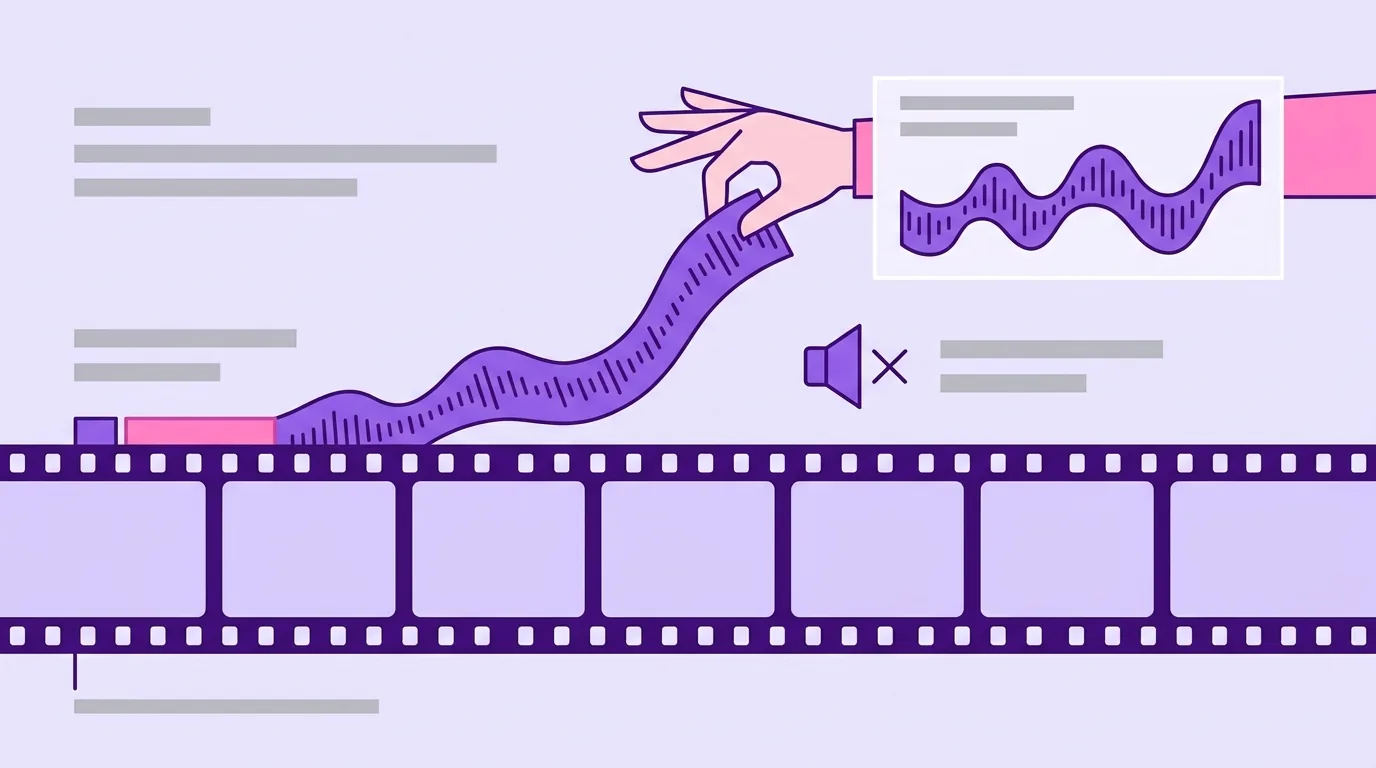
To remove audio from a video without touching the picture, drop the audio stream and copy the video stream as it is. In FFmpeg that is one command, ffmpeg -i input.mp4 -c:v copy -an output.mp4, and it finishes in seconds because nothing gets decoded or encoded. The video that comes out is the same video that went in, packet for packet. In your browser, VidClip's mute video tool runs that exact command on Pro, with no upload. The free tier also removes the audio, but it re-encodes the video and adds a small corner watermark. Don't expect muting to shrink a file much, though: a 128 kbps audio track is worth about 1 MB per minute.
That is the short version. The rest of this post covers why muting can be a zero-cost edit, what I measured when I tried it both ways, and the cases where silence is the wrong answer.
Why does muting not need a re-encode?
A video file is a container holding separate streams. Usually there's one video stream (H.264, say), one audio stream (usually AAC) and a bit of timing data that keeps them in sync. The streams are stored side by side, not blended, so you can take one out without disturbing the other.
FFmpeg calls this path streamcopy. The FFmpeg documentation on streamcopy says it plainly: there is no decoding or encoding, so it is very fast and there is no quality loss. The -an flag in the same manual tells FFmpeg to leave audio out of the output. Put -c:v copy and -an together and you get a new container with the original video packets and no sound.
The other path is a re-encode. The video is decoded to raw frames, maybe modified (a watermark, a resize), then compressed again from scratch. A second round of lossy compression can't be byte-identical to the first, and it takes real CPU time for every frame. If all you wanted was silence, that's a lot of work for nothing.
So why re-encode at all? Mostly because something has to change in the picture. You can't burn a watermark into video you're only copying, and you can't change resolution, crop or rotation that way. That is also why the two VidClip paths differ. Here's what the code does:
- Pro:
-i input -c:v copy -an output. The video stream is copied and audio is dropped. MP4, MOV, WebM and MKV keep their container. Anything else is written as MP4. No watermark, no size cap. - Free: the video is re-encoded with x264 (
veryfastpreset, CRF 21) with a semi-transparent VidClip mark in the bottom-right corner. Audio is dropped and the output is MP4. Input is capped at 200 MB.
Both run locally in the tab through FFmpeg compiled to WebAssembly. The free watermark is the reason the free path has to re-encode: you can't composite a mark onto frames you never decode.
How much size does dropping audio actually save?
Less than most people hope. Audio is cheap next to video. File size is bitrate times duration, the same arithmetic behind the video compression numbers, so the saving from removing a constant-bitrate audio track is easy to predict:
| Audio bitrate | Bytes removed per minute | About |
|---|---|---|
| 96 kbps | 96,000 × 60 ÷ 8 = 720,000 | 0.72 MB |
| 128 kbps | 128,000 × 60 ÷ 8 = 960,000 | 0.96 MB |
| 192 kbps | 192,000 × 60 ÷ 8 = 1,440,000 | 1.44 MB |
| 320 kbps | 320,000 × 60 ÷ 8 = 2,400,000 | 2.40 MB |
That table is arithmetic, not a benchmark, so I checked it against real files. I encoded two 60 second test clips with desktop FFmpeg 8.1.2, both with x264 at CRF 23 and a 128 kbps stereo AAC track. Clip A was a 1920x1080 moving test pattern with added grain, to push the video bitrate up. Clip B was a clean 1280x720 test pattern. Then I muted each clip twice: once with VidClip's Pro arguments and once with its free-tier arguments, watermark included.
| Original | Muted, stream copy | Muted, re-encoded with mark | |
|---|---|---|---|
| Clip A, 1080p, 8.9 Mbps video | 68.1 MB | 67.1 MB (1.5% smaller) | 71.1 MB (4.4% larger) |
| Clip B, 720p, 3.1 Mbps video | 24.5 MB | 23.5 MB (4.1% smaller) | 23.8 MB (3.0% smaller) |
Three things stood out.
First, stream copy removed almost exactly 1 MB from both clips: 1,004,530 bytes from A and 1,006,906 bytes from B. The audio's cost didn't depend on the video, so the prediction held, plus a little container overhead.
Second, the percentage depends on the video. On the heavy 1080p clip, the audio was a rounding error. On the lighter 720p clip it was about 4%. For a high-bitrate phone recording, muting won't get you under an upload limit.
Third, the re-encoded version of Clip A came out bigger than the original. A re-encode picks a new size based on its own quality setting and the content, not on what you started with. Removing the audio never promised a smaller file on that path.
I also hashed the video packets in each output. The stream-copy files matched the originals exactly. The re-encoded files didn't, as expected.
On timing: stream copy took 2.6 seconds on Clip A and 1.4 seconds on Clip B. The re-encode took 98 and 42 seconds on the same 12-thread machine. The browser build of FFmpeg is single-threaded, so expect slower times in a tab on both paths. The gap between them is what matters.
The takeaway: if a file is too big, muting is rarely the fix. Compress the video instead, and mute when you actually want silence.
When should you mute rather than cut?
Muting and trimming both deal with a problem in the soundtrack, but they solve different problems. Trim when the problem is a moment. Mute when the problem is the whole track. Here's the checklist I use.
Mute the whole track when:
- The audio is background noise with no information in it. Wind, traffic, an air conditioner, a crowd you don't need to hear. If nobody would miss it, remove it.
- The music isn't yours to publish. A song playing in a café or a car stereo can bring a copyright claim. If you only need the picture, a silent version avoids the question.
- The video is going to autoplay on a web page. Browsers block autoplay with sound. The Chrome autoplay policy says muted autoplay is always allowed, while sound needs user interaction or engagement. A hero loop or product demo that should start on its own belongs in a file with no audio track.
- A screen recording picked up something private. A call in the next room, a notification chime with a name in it, you reading a password aloud while typing. Sharing a silent recording removes that risk, and a local tool means the original audio never reaches a server on its way out.
- You'll add new audio later. If a voiceover or music bed is coming in an editor, a clean silent base keeps the old track from mixing in by accident.
Don't mute, do something else, when:
- Only a few seconds are bad. Cut that segment instead. Stream-copy cuts land on keyframes, and lossless trimming and keyframes explains why that sometimes moves a cut slightly.
- The speech matters and the noise is only annoying. Removing noise from speech is a separate job for an audio editor, not a mute.
- The audio is just too loud. Lower the volume in an editor. Silence is not a volume setting.
- The music is a problem but the dialogue is the point. See the next section, because a plain mute can't do this.
- You want the audio, not the video. That's the opposite job. Extracting audio from a video covers when to copy the audio stream out and when to convert it to MP3.
What about removing music but keeping speech?
A plain mute works on whole streams, and a typical phone video has one audio stream with speech, music and room sound mixed together. There is no music stream to delete, so no container-level operation can take the song out and leave the voice. Stream copy, -an, and any tool built on them, VidClip included, will remove all of it or none.
Keeping speech while dropping music takes source separation, where software estimates which parts of the waveform belong to which sound and rebuilds the rest. It's a real re-encode of the audio, results vary with the mix, and it's a different kind of tool.
One case is well covered. If the video is already on YouTube and received a copyright claim, YouTube Studio can fix it without a re-upload. According to YouTube Help on removing copyright-claimed content, Erase song can mute just the claimed song or all of the video's audio, and Replace song can swap in a track from YouTube's Audio Library. The same page notes that since June 2025 those edits can't be reverted once saved, so keep a copy of the original.
If you don't need speech at all, a full mute is simpler, faster and predictable.
How do you mute a clip without an editor?
You don't need a timeline for this. Two routes:
In the browser. Open the mute tool, drop the file in and click Mute video. The file is read into the page's memory, processed on your CPU and saved back to your disk. There's no upload bar, no account and no queue.
- On the free tier, files up to 200 MB work. The video is re-encoded to MP4 with a small corner mark.
- On Pro, the command is
-c:v copy -an. It finishes in seconds, the picture is untouched, there's no watermark and no size cap. Pro is $4 a month billed $24 every six months, or $79 once for life. It also includes exact-size compression, instant lossless trimming, contact sheets and the AI settings advisor. Details are on the Pro page.
On the command line. If FFmpeg is already installed, this is all you need:
ffmpeg -i input.mp4 -c:v copy -an output-muted.mp4
Keep the same extension for the output when you can. Copying an unusual codec into a container that doesn't support it will fail, which is why VidClip falls back to MP4 for inputs outside the four common containers.
How to tell which path a tool used. Many tools don't say. Three quick checks:
- Speed. A stream copy of a long file finishes in seconds. A mute that takes about as long as a compression pass was a re-encode.
- Size. A stream copy shrinks the file by about the audio bitrate times duration, and never more. If the file shrank a lot, or grew, the video was re-encoded.
- Probe it.
ffprobe output.mp4shows the video bitrate. If it matches the original, the stream was copied.
Frequently asked questions
Does muting a video reduce its file size?
A little, by the size of the audio track. At 128 kbps that's about 0.96 MB per minute. In my test clips, stream-copy muting removed about 1 MB per minute, which was 1.5% of a 1080p file and 4.1% of a 720p one. If a tool re-encodes the video while muting, the size can go either way. My re-encoded 1080p test file came out larger than the original.
Can I remove just the music?
Not with a mute. Speech and music usually share one mixed audio stream, and muting removes the whole stream. Keeping the voice without the song needs source separation software. For a video already on YouTube with a copyright claim, YouTube Studio's Erase song can mute just the claimed song.
Does muting affect video quality?
Not on a stream copy. The video packets are copied unchanged, and in my tests the muted file's video hashed identically to the original. A tool that re-encodes while muting does go through a second round of lossy compression. That includes VidClip's free tier, which re-encodes so it can add the corner mark. At a sensible quality setting the difference is hard to see, but the file is no longer identical.
How do I mute a video on a phone?
Open the mute tool in your phone's browser. It runs the same WebAssembly build of FFmpeg as on desktop, so the file stays on the phone. Phones have less spare memory than laptops, so very large files are more likely to fail, and processing is slower. For a short clip it works fine. Many phone gallery apps also have a sound toggle in their video editor, but check your own phone's help pages for where it is.
Mute it here
Drop your clip into VidClip's mute tool and save it silent, with nothing uploaded. If you want it instant and lossless, with the original video stream copied untouched and no watermark, that's VidClip Pro.