
Compress Video for Text Message: MMS vs iMessage
By Mark Fulton · 2026-08-28 · 14 min read
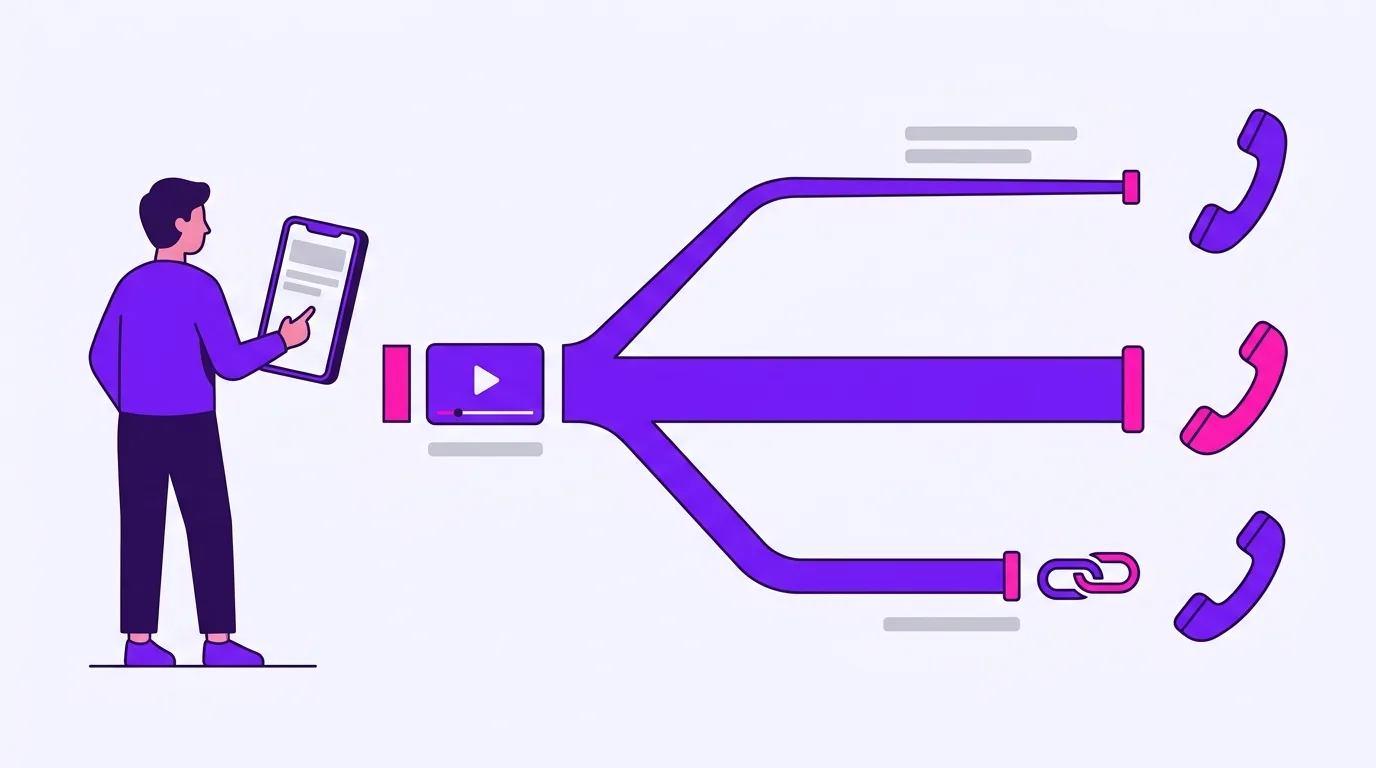
Before you compress anything, find out which pipe the message is actually going to take, because three different things hide behind the word "texting". If the bubble is blue, you are on iMessage and size is almost never the problem, so compressing costs you quality for nothing. If the bubble is green with typing indicators, you are on RCS, which carries far more than a text message ever could. If the bubble is green with no typing indicator, you are on MMS, the carrier gateway will squeeze the clip to around a megabyte whatever you do, and your only real move is to trim it to a handful of seconds or send a link instead.
There is no single size limit for texting a video, which is why the one number you were given is usually wrong for your situation in one of two expensive directions. Either you crush a clip down to a few megabytes when you were on iMessage all along and could have sent it untouched, or you compress to a target that MMS was never going to accept and the send fails anyway. Getting the pipe right first takes ten seconds and decides everything after it.
Which pipe does your video actually travel down?
The pipe is decided by three things: what you are sending from, what they are receiving on, and whether both ends currently have a data connection. Here is the whole decision in one shape.
Is the send button / message field labelled "iMessage" (blue)?
├── YES  -> iMessage. Size is rarely the blocker.
│          Compress only to control quality yourself. Do not chase a target.
│
└── NO   -> it is going out as a green bubble. Which kind?
    │
    ├── Do you see typing indicators and read receipts in this thread?
    │   ├── YES -> RCS. Comfortably larger than MMS.
    │   │          Compress only if it refuses, and watch for fallback.
    │   │
    │   └── NO  -> MMS. This is the tiny pipe.
    │              Target under 1 MB. Under ~15 seconds of video, realistically.
    │
    └── Special cases that force MMS regardless of the above:
        ├── Group thread containing one person without iMessage/RCS
        ├── Recipient has no data connection right now
        ├── "Send as Text Message" fired after an iMessage failed
        └── RCS still registering on a new phone or new SIM
The single most useful habit here is checking the message field before you attach anything. On an iPhone the compose field says "iMessage" when the thread is on iMessage and "Text Message" when it is not. Apple's own guidance on message types confirms the colour convention plainly: messages sent with iMessage appear in blue bubbles while SMS and MMS appear in green, and RCS also shows in green, which is why the bubble colour alone cannot separate RCS from MMS. Typing indicators can. MMS has no concept of one.
Turned into targets, the same decision reads like this.
| You are on | They are on | The pipe | Practical target | Is compressing worth it? |
|---|---|---|---|---|
| iPhone | iPhone, both online | iMessage | No target needed | Only to control quality yourself |
| iPhone | iPhone, one end offline | SMS/MMS | Under 1 MB | Yes, and trim first |
| iPhone | Android, RCS active both ends | RCS | No published figure | Only if it refuses |
| iPhone | Android, no RCS | MMS | Under 1 MB | Yes, and it may still be re-squeezed |
| Android | Android, chat features on | RCS | No published figure | Only if it refuses |
| Android | Android, chat features off | MMS | Under 1 MB | Yes, and trim first |
| Android | iPhone, RCS active both ends | RCS | No published figure | Only if it refuses |
| Android | iPhone, no RCS | MMS | Under 1 MB | Yes, and trim first |
| Anyone | Mixed group thread | MMS for everyone | Under 1 MB | Yes, or send a link |
That last row is the one people trip over. A group chat runs at the speed of its slowest member. One person in the thread without iMessage or RCS drops the whole conversation to MMS, which is why the clip that sailed into your two-person thread bounces out of the family group.
What size does MMS allow?
This is where dated, sourced numbers matter more than round ones, because carriers set these limits, not Apple and not Google. Apple says so directly on its own messaging troubleshooting page: if you use SMS or MMS messaging to send photos or videos, your carrier may set size limits for attachments, and the same page tells you to check with your carrier about whether RCS, MMS or SMS is supported at all. Apple publishes no MMS ceiling of its own, because there is not one to publish.
So I went to the carriers' own support pages on 28 August 2026. Here is exactly what I could and could not read.
T-Mobile publishes a figure. Its messaging and email troubleshooting page states that the max sending size is 1 MB, 3 MB for receiving, and under 3072 x 3072 resolution. It also notes that MMS may be automatically resized when sent but may still be too large. That is the clearest first-party MMS number available today.
Verizon does not publish one where I could read it. Its multimedia messaging FAQ covers MMS but states only a 1000 character allowance for the text portion alongside pictures, videos and sound clips. It gives no attachment size. Verizon has a separate support article titled for exactly this question, and as of today its body did not render a size figure I could read, so I am not going to quote one.
AT&T's picture and video messaging article would not load for me today, returning a 403 to an automated request. Figures for AT&T circulate widely on other sites. I have not read them on AT&T's own page, so they are not going in this post. Check it yourself in a browser if AT&T is your carrier.
Take the one number that is documented and do the only arithmetic that matters in compression. File size is bitrate multiplied by duration, so 1 MB is 8 megabits, and dividing by the clip length gives you everything you are allowed to spend. Subtract roughly 64 kbps for a voice-grade audio track and the rest is video.
| Clip length | Total budget at 1 MB | Video budget after audio | What that actually looks like |
|---|---|---|---|
| 10 seconds | 800 kbps | ~736 kbps | 480p, genuinely watchable |
| 15 seconds | 533 kbps | ~469 kbps | 360p to 480p, acceptable |
| 30 seconds | 267 kbps | ~203 kbps | 360p, visibly soft |
| 45 seconds | 178 kbps | ~114 kbps | 240p, poor |
| 60 seconds | 133 kbps | ~69 kbps | Not really a video any more |
| 2 minutes | 67 kbps | Nothing usable | Send a link |
Those are divisions, not benchmarks, and the full derivation lives in video compression by the numbers. Read the table once and the honest conclusion is unavoidable: MMS is a picture pipe that grudgingly accepts video. Under about fifteen seconds it works. Past thirty seconds you are choosing between a smear and a link, and the link is usually the better answer.
There is a second limit you cannot see, and it is the same trap that catches people attaching video to email. The binding constraint is the smaller of your sending gateway's ceiling and the receiving carrier's, and you almost never know which network the other person is on. T-Mobile's own numbers make the asymmetry visible: 1 MB out, 3 MB in. A file sized for your own limit can still be refused or re-crushed at the far end.
Why does a video look worse when texted to an Android phone?
Usually it has nothing to do with Android. It is the pipe collapsing to MMS, and three separate things degrading the file on the way.
The carrier gateway re-encodes it. T-Mobile's page says outright that MMS may be automatically resized when sent. Your phone hands over a file, the network decides it is too big, and it re-encodes to fit. Nobody asks you what to sacrifice. Resolution, bitrate and frame rate all go.
Your own phone may be pre-shrinking it. Apple's troubleshooting guidance suggests turning on Send Photo Previews or Low Quality Image Mode when you have trouble sending full-size photos and videos, precisely so the file lands inside a carrier's limit. That setting is genuinely useful and it is also the reason some people's outgoing media has looked soft for months without them knowing why. Worth checking in Messages settings before you blame the recipient's phone.
Generation loss compounds. Every re-encode of an already-compressed file works from the previous encoder's artifacts, not from the original footage, so blocking and smearing get faithfully preserved and then added to. The same mechanism is what quietly ruins video sent through WhatsApp. It means a savagely over-compressed input is worse than a smaller, cleaner one, because you hand the carrier a mess to work from.
There is a fourth, stranger outcome specific to Android. Google Messages offers a fallback when a chat message will not send, and one of the options is to send as SMS with a link. Google's own help page carries the warning that matters: if you choose the option to send as "SMS with a link", your media could be accessible by a public link not controlled by Google. Your video did not shrink. It got published to a URL, and the text message is just pointing at it. If the clip is anything private, that is a meaningful thing to know before you tap the retry button.
When does compressing not help?
Three situations, and recognising them saves you more time than any encoder setting.
You were on iMessage the whole time. Blue bubble, both ends online, clip of ordinary length. Compressing here does not fix a problem, it creates one, because you are throwing away quality to clear a ceiling you were never near. If a blue-bubble send fails, the cause is far more often a dropped connection or a stalled Messages app than the file size.
The clip is too long for MMS at any quality. Look at the table above. Past about forty-five seconds there is no bitrate that both fits a megabyte and produces something a person would want to watch. Compressing harder just changes which unwatchable version you send. Trim to the moment that matters instead, which is the only compression that costs nothing, because it removes bits without touching any of the bits you keep. If the moment itself is two minutes long, send a link.
The failure is not about size at all. MMS turned off in settings, group messaging disabled, no cellular data because you are on Wi-Fi calling with mobile data off, RCS mid-registration on a new SIM, or a carrier that does not support the message type you are attempting. Apple's page specifically directs you to check with your carrier whether RCS, MMS or SMS is supported before you assume anything about the file. A 400 KB clip fails just as reliably as a 40 MB one when the transport is not there. If a small file also fails, stop compressing and start troubleshooting.
How do you shrink it without an app?
You do not need to install anything, and you do not need to hand the file to a stranger's server to make it smaller. Four steps, in this order, because the order changes every number that follows.
Step 1. Trim first. Cut to the seconds that carry the point. On an MMS budget this is not an optimisation, it is the whole strategy: going from forty seconds to twelve takes your video budget from roughly 130 kbps to roughly 600 kbps at the same target size, which is the difference between a mess and something watchable. Trim it here before you touch a compressor.
Step 2. Pick the target from the pipe, not from your phone. Under 1 MB if the thread is on MMS. If it is on RCS or iMessage, do not set a size target at all; set a quality you are happy with and send the result.
Step 3. Drop the resolution deliberately rather than letting the network do it. At a few hundred kilobits per second, 720p is not a choice you can afford, and a clean 480p file beats a 720p one starved of bits every time. You are going to lose the pixels either way. Choosing which ones to lose produces a better result than a carrier gateway making that call in a hurry.
Step 4. Compress in the browser. VidClip's compressor runs ffmpeg.wasm, the real FFmpeg compiled to WebAssembly, inside the page you are already looking at. The file is read into browser memory and encoded on your own CPU. There is no upload bar because there is nothing to upload, no queue, and no account. For a clip you are texting to family, that is not a small detail. The one exception on this site is the Pro transcript tool, which has to send audio to a speech model to do its job, and it says so.
The free tier accepts input files up to 200 MB and puts a small mark in the corner of video exports. Pro removes both, and replaces step 2's guesswork with a number: type the target, and it solves for the video bitrate from the byte budget, the container overhead and the audio track, in one pass. The method behind that is written out in full in compressing a video to an exact file size, and you can do it by hand with the same arithmetic if you prefer.
Frequently asked questions
Why can't I text a video?
Almost always because the thread has fallen back to MMS, which is the oldest and smallest of the three ways a phone can send a picture or video. Apple states that carriers set the size limits for SMS and MMS attachments rather than Apple doing it, and the one carrier figure I could read on a first-party page today is T-Mobile's: 1 MB to send, 3 MB to receive, checked 28 August 2026. A phone video is routinely a hundred times that. Check the bubble first. If it is blue, size is not your problem and something else is failing. If it is green with typing indicators you are on RCS and the clip is probably just genuinely enormous. If it is green with no typing indicator, you are on MMS, and the honest fix is a much shorter clip or a link.
What size video can you send by MMS?
Smaller than you would like, and the exact figure belongs to your carrier rather than to your phone. T-Mobile's support page states 1 MB for sending and 3 MB for receiving, along with a resolution ceiling under 3072 by 3072, as of 28 August 2026. Verizon's multimedia messaging FAQ describes MMS without stating an attachment size, and AT&T's picture and video messaging article would not load for me today, so I am not repeating figures for either that I could not read at the source. Plan around 1 MB and you will be safe on the network that publishes a number. Practically, 1 MB is about ten to fifteen seconds of 480p video with an audio track, and that is the honest ceiling of what MMS does well.
Does iMessage compress videos?
Apple does not publish an iMessage attachment ceiling on the support pages covering messaging, and it does not need to, because iMessage carries video over the internet rather than through a carrier's messaging gateway. What Apple does document is that your iPhone can compress photo and video attachments when necessary, and that the Messages settings include Send Photo Previews and Low Quality Image Mode for sending lower quality content that is more likely to fit within a carrier's size limits. So the compression you notice on a blue-bubble send is usually either that setting being on, or the thread having quietly fallen back to green. If your iMessage videos have looked soft for a while, check Low Quality Image Mode before you blame anything else.
How do I send a long video by text?
Do not send it by text. Send a pointer to it by text, which is what every platform's own escape hatch does. A shared album link, a cloud storage link, or a link from your phone's photo app all carry the full-quality original and cost the message nothing. The arithmetic makes the case on its own: a two-minute clip inside a 1 MB MMS envelope leaves about 67 kbps for the whole file, which is not enough for video at any resolution. Google Messages will even offer to do this for you when a send fails, though its help page warns that its send-as-SMS-with-a-link option can put your media behind a public link Google does not control, so prefer a link you created yourself and can revoke. And if the video is long because most of it is dead air, the better answer is still to trim it. A fifteen second clip of the actual moment gets watched. A four minute one gets scrolled past.
Got a clip your messages app refuses? Trim it to the moment that matters, then compress it to the target. Both run in your browser on your own machine, nothing is uploaded, and there is no queue.